
01 / A remembered life event
Which week was the ferry photograph taken?
The family remembers that Nadia, Rafael and Maya Costa took a Scottish cottage and ferry holiday from 10 to 17 August 2013. The exact day of this windy crossing has been forgotten.
- Save the trip and its known date range in Life events.
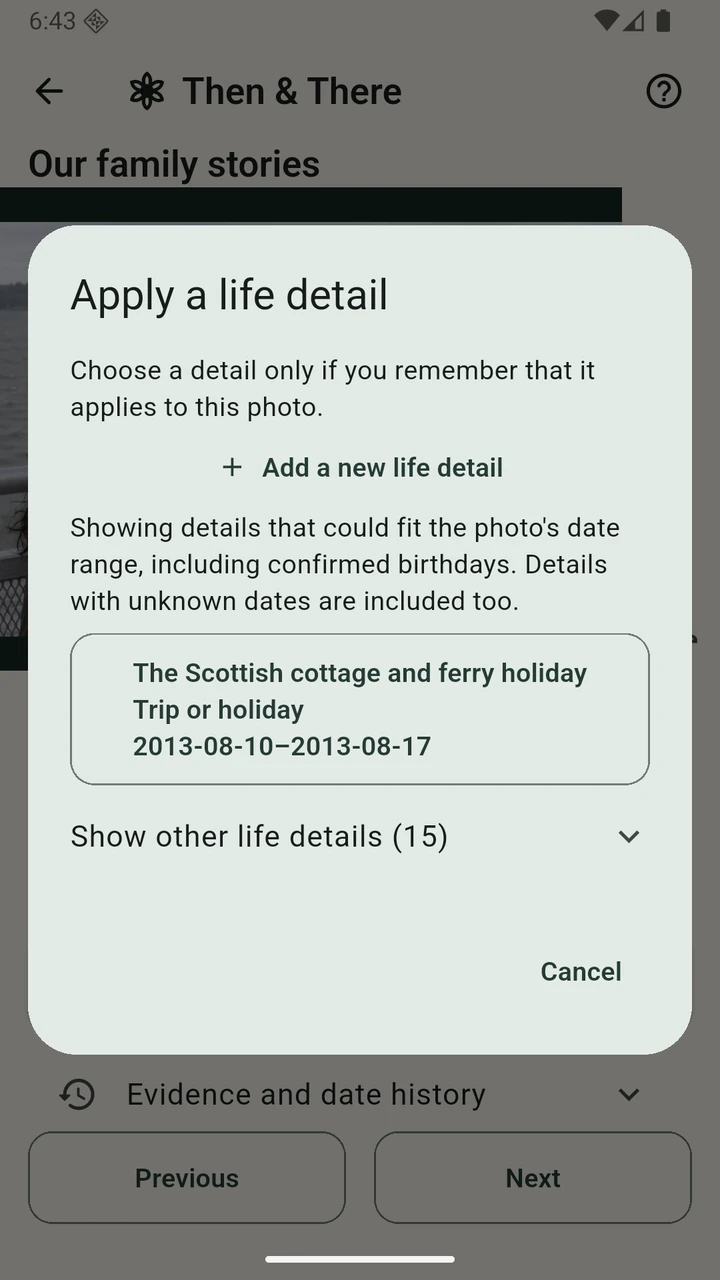
- Open the ferry photo’s dating page and choose Apply a life detail.
- Select the holiday because the family remembers this photograph belongs to that trip.
The supported range is now 10–17 August 2013. That is a useful result: the photo can be placed within a particular week without pretending to know its day.
The screenshot shows the remaining step: Metadata date not chosen. Compare with a dated ticket or another photo, or review a best estimated day within the week. A remembered holiday alone does not prove the exact day.
Follow the photo dating guide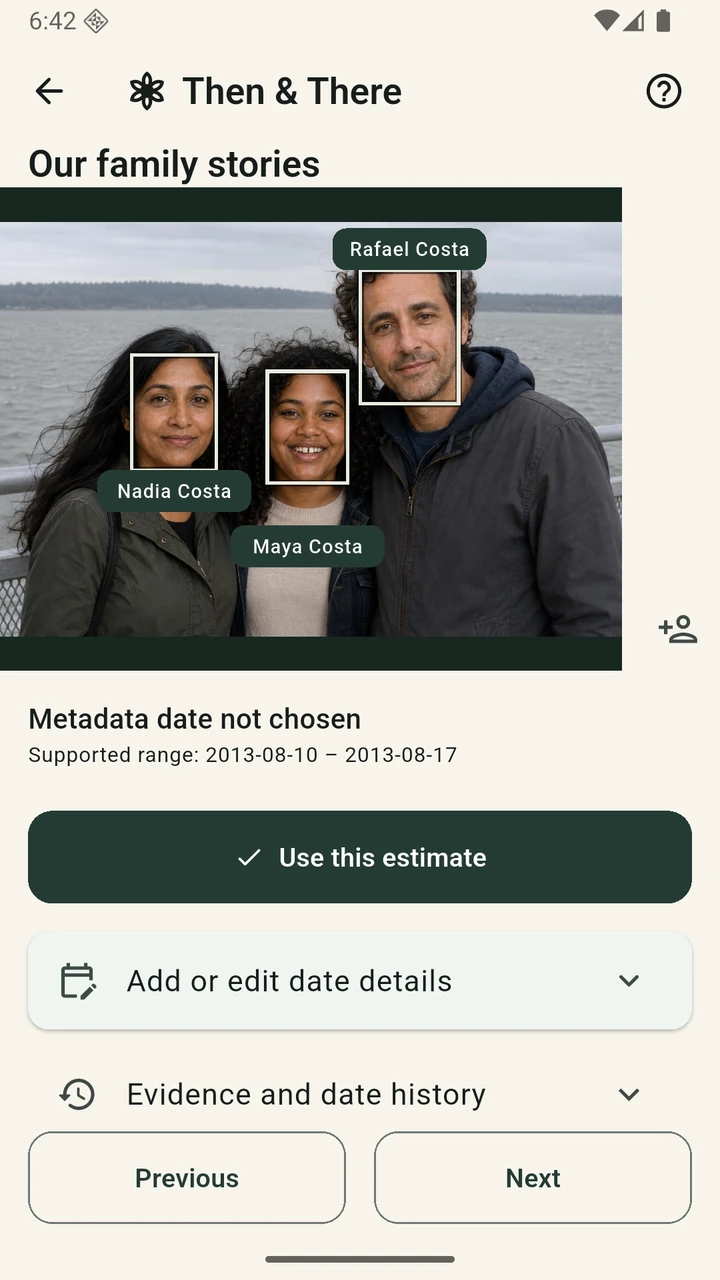
02 / Age clues and an estimated day
When was Nadia learning to cook?
In this second photo, Amina is tying Nadia’s apron in the family kitchen. Nadia’s confirmed birthday is 14 June 1965. The family remembers her being roughly 11 to 13 years old, and living in the red-brick terrace from 1974 to 1984.
The remembered age supports 14 June 1976–13 June 1979: from her eleventh birthday through the day before her fourteenth. That fits the family’s time in the house. The house period supplies context but does not narrow these age bounds further.
A photo app elsewhere needs a full calendar date. Here, the family reviews 13 December 1977, the middle of the supported range, using the date slider. The demonstration archive stores that chosen day while keeping the range and its clues.
This is a best estimated date, not a recovered historical fact. The family can move the slider when another memory makes an earlier or later date more likely, or use a known exact date when evidence becomes available.
Understand the date written to photo metadata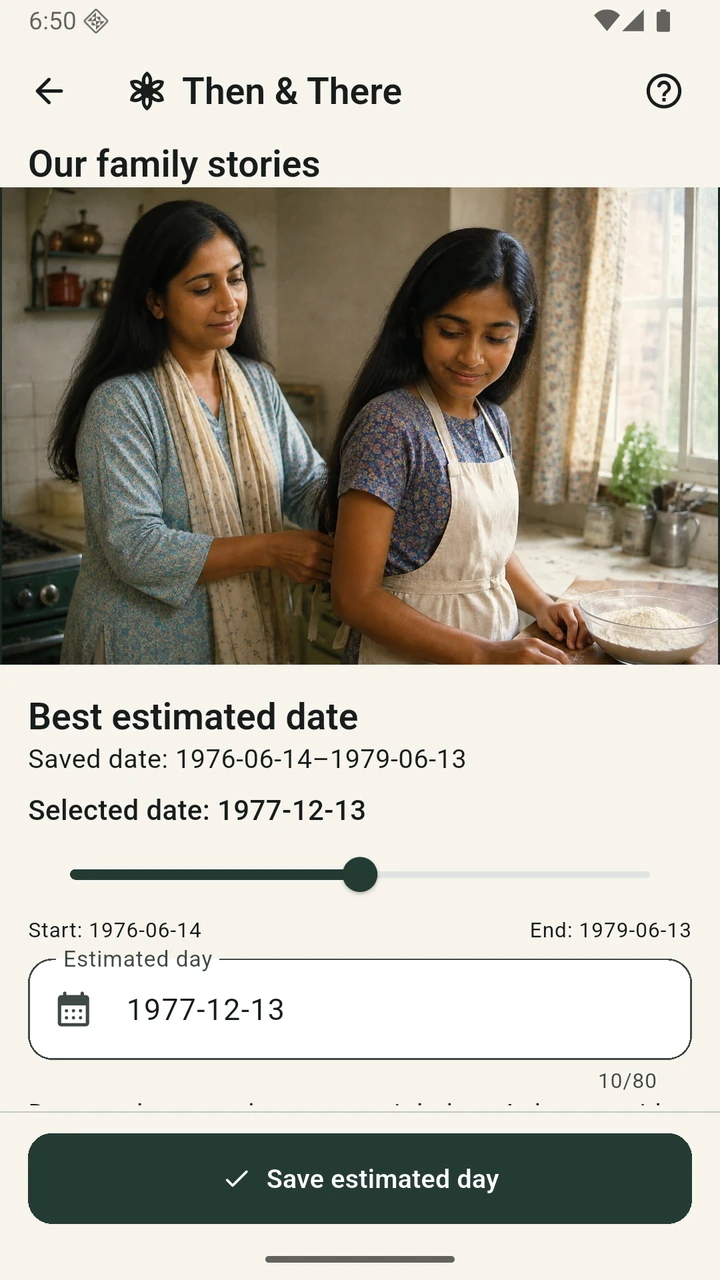
What happens when you export?
Every image included in a photo export needs a known or reviewed full date. Then & There writes that day into EXIF DateTimeOriginal and XMP date fields. When the original time is unknown, it uses noon as a placeholder; this does not mean the photograph was taken at midday. The digitisation time remains separate.
Embedded XMP retains the estimate label, supported range and provenance. A photo viewer that reads only the date may show the chosen day without the uncertainty, so keep a restorable archive backup for the full editable history. Backups remain available before all photos are dated.
These screenshots demonstrate dating choices, not an exported-file readback for these particular two photographs.